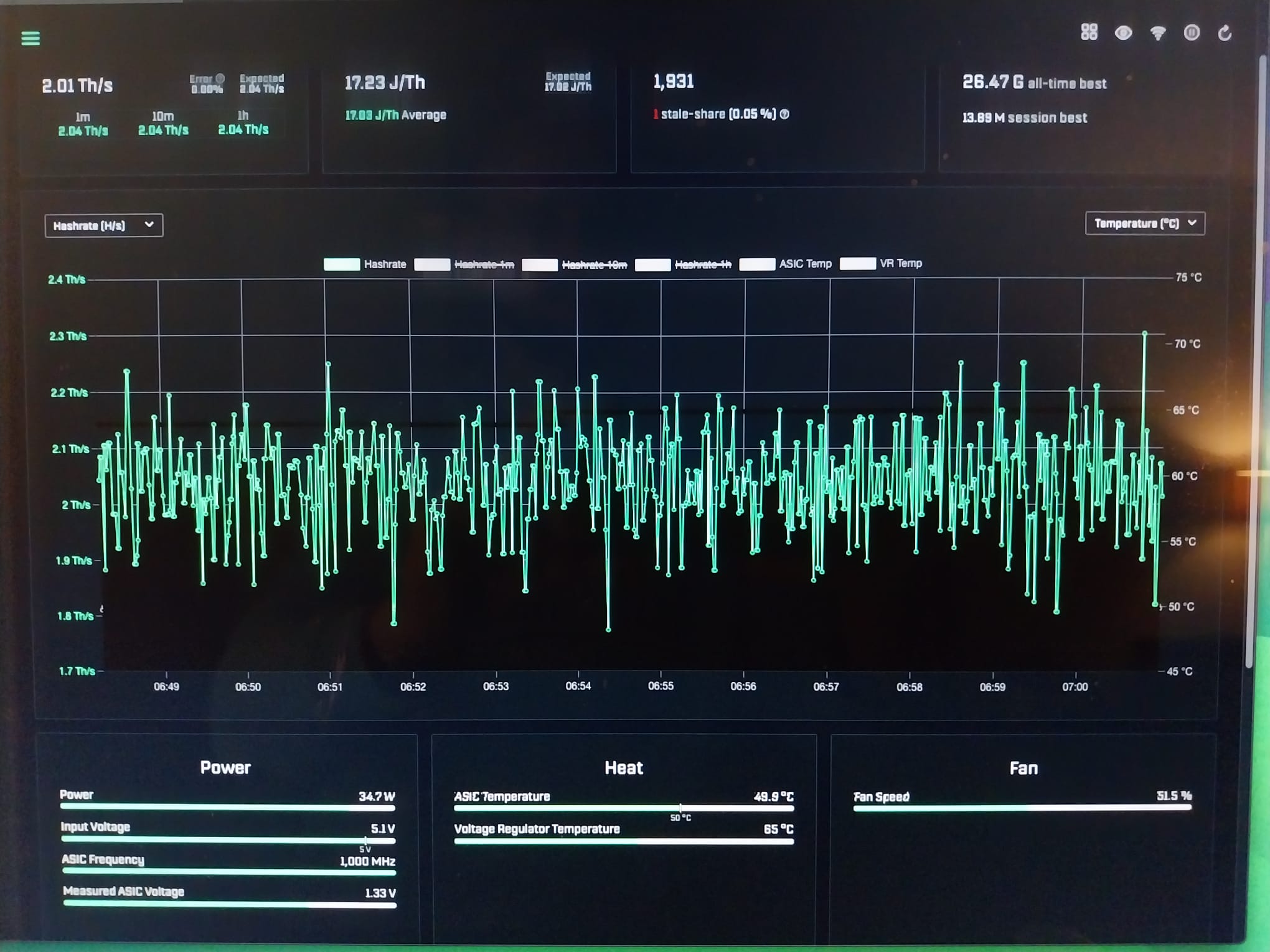
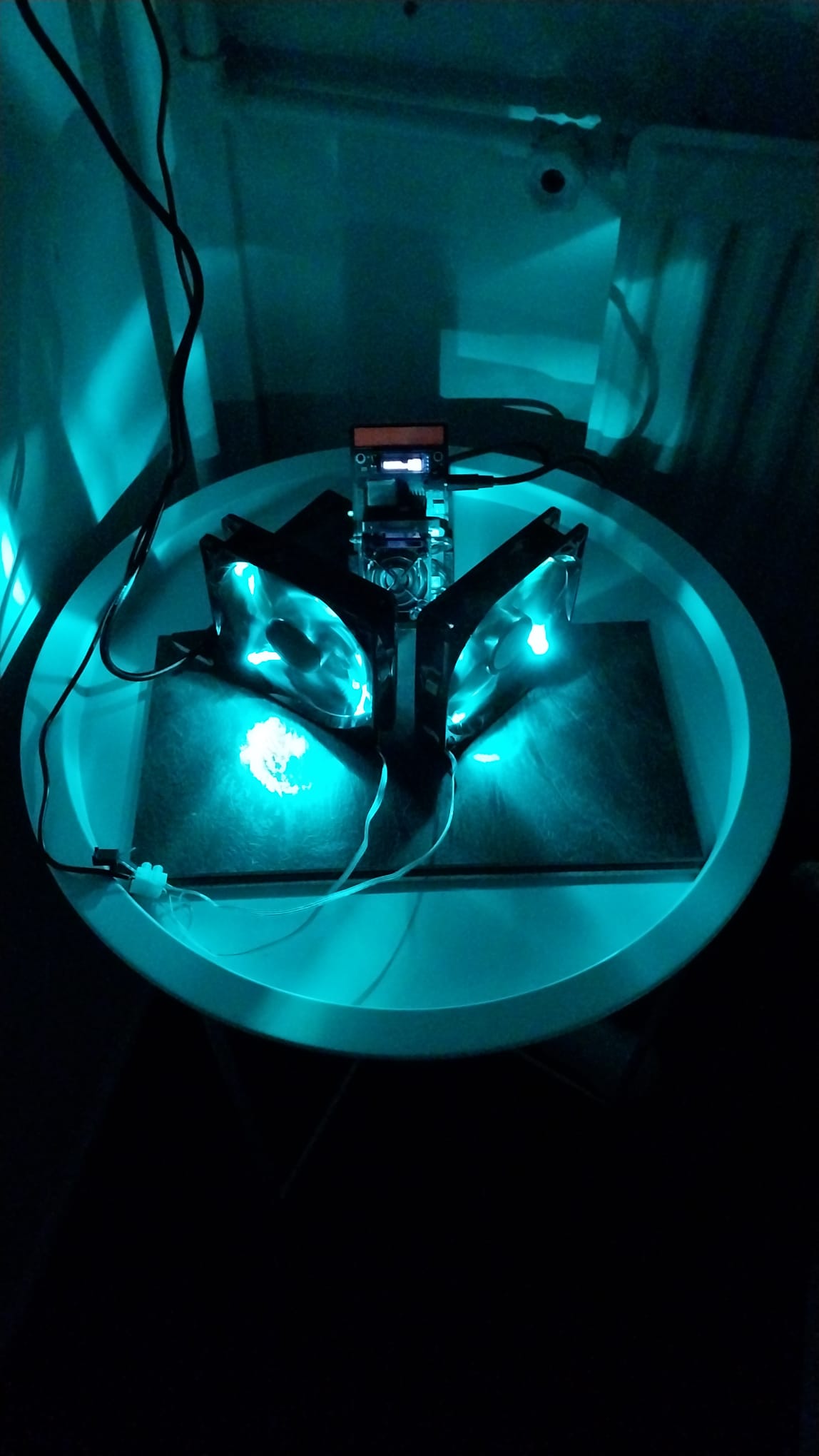
Hey guys, I’m a couple of days into this solo mining adventure now and it took me by storm haha! I’m running a 2026 upgraded version of the Gamma 602 from AliExpress. It is fully stock, all I did was put 2 12v PC-Fans in front of it! PSU is a 5V-8A, 40W, currently it is doing 2.04Th\s (1H avg) with an efficiency of 16,9J/Th on 1000Mhz with 1330 Core Voltage ASIC Temp: 49.9ºC VRM Temp: 65ºC on 34.7W . With the fans running at 12v I was able to crank it up to 1070mhz at 1350CV hashing at 2.183Th/s it would run at 54ºC ASIC and 72ºC VRM(Ran like that all night without any problems). At this moment the PSU is stock, there is a 5v 15A, 75w on the way. Since this chip and other hardware are definitely very good I want to see what I can push out of it, if it crashes and goes kaput then so be it, I think it is vert cool to see what this little thing is capable of! P.S. Obviously I ordered a second 602 from the same store straight away and yesterday decided to also order a NerdQAxe++ Rev 6.1 6Th/s. I’m very curious as to what you guys think of this little monster and if you guys have any tips and tricks for me as I try to push it up to 2,2Th/s!
Welcome! 
That’s a strong chip, 1000 MHz on a Gamma is well above what mine does (640 MHz @ 1140 mV).
One thing before pushing further: 34.7 W on a 40 W supply is close to 90 % of it. I’d wait for the 75 W one, a supply near its limit drops voltage and gets hot.
Keep an eye on the VR temp, on the Gamma the regulator usually gives up before the chip does.
When you push, try lowering the voltage at each clock too, often the same hashrate runs a few watts cooler.
If you want to automate that: I build a self-hosted solo pool with a tuner that searches the lowest stable voltage per clock and keeps to board and PSU limits. Happy to share if you’re interested, no pressure.
Thanks!
Yeah it tops out at the 1070mhz with 1350CV, that’s the point where 5v turns into 4.9v, still running though and no loss in hash rate but I fully understand keeping it that high for that long(the whole night last night) is very demanding of all the components so I turned it back to 950 on 1.3CV just to make sure I don’t burn it up before the new PSU gets here. The vr temp does not come above 73ºC on the 1350 1070 clock though and also the jack plug or the PSUdoes not get hot at all. I clock it to stay below 1.00% error rate in AxeOS. I am very interested in your pool and I will also be going on to warpaxe when my other 2 miners arrive!
Sounds like a sensible plan, 950 @ 1.30 V under 1 % errors until the new PSU is in.
The 5 V → 4.9 V drop is the hint, so good call.
The easiest way to try the pool: point the miner at stratum+tcp://pool.warppool.org:3333, user = your BTC address plus .worker.
It’s solo, 0 % fee, and the block reward goes straight to your own address.
Self-hosting (Umbrel app, Docker or native): https://docs.warppool.org
The tuner (WarpTune) works with stock AxeOS too. Setup guide: dvb-WarpPool/scripts/warptune-setup.md at main - dvb-projekt/dvb-WarpPool - Forgejo: Beyond coding. We forge.
Did you mean WarpAxe, our firmware? If so, happy to help when the other two arrive. It installs from the browser and keeps your settings.
So I’m currently on the stratum v2 which seems to be running very good, how can I set up your pool to run on this particular setting, since I am pretty new to this a lot of the language used in the docs link looks kind of foreign to me haha. Yes I mean the firmware, my nerdqaxe just left china so it will be here in a couple days, if you could share some of your knowledge with me that would be nice!
Sure, it’s just a few fields in AxeOS → Settings → Pool:
- Protocol: Stratum V2
- URL: pool.warppool.org
- Port: 3336
- Authority public key: 9ankJhx4JpKeJd7xHzPVM98kU1WppT45Pbp3LfeKVdyt5bYgBY8
- User: your BTC address, then . and a name for the miner, e.g. bc1q….gamma
- Password: x
- SV2 Channel Type: Extended
Save and restart, and it should show up on https://pool.warppool.org within a minute.
Why Extended: the miner then builds the coinbase itself and can check that the reward goes to your address. Standard would mean trusting the pool for that.
If you’d rather start simple: V1 on port 3333 works the same, just without the encryption.
I can see your Gamma6021 on the pool, shares coming in, 0 rejects. 
Hashrate needs a few minutes to fill in.
Your own stats page: https://pool.warppool.org, then search for your address.
Yes, I am in the pool and I have my Bitaxe personal page in front of me, hash rate slowly going up. Could you help me with the autotuner. I’m on MacOs right now and I have a hard time understanding the link you sent. Not a Coder nor very computersmart at all, more a mechanic in spirit haha!
Glad it’s running! 
Honest answer on the tuner: right now it isn’t mechanic-friendly yet.
On a Mac it needs the Terminal and a config file, and the calibrate buttons only show up when you run the pool yourself, e.g. as an Umbrel app.
It also works the other way round from what you’re after: it treats your own point as the ceiling and saves power below it, rather than pushing higher.
For now, your manual approach (raise the clock, keep errors under 1 %, watch the VR temp) is exactly right.
Then I will not worry about it at all, I enjoy keeping it running as smooth as possible anyways so not a hassle for me. When my other miners arrive I will ask you for some help with setting them up for the WarpAxe firmware! Thanks for now!
Sounds good, enjoy the tinkering!
When the others arrive, just ping me here.
WarpAxe installs from the browser and keeps the pool and Wi-Fi settings.
It also announces itself as .local on your network, like AxeOS.
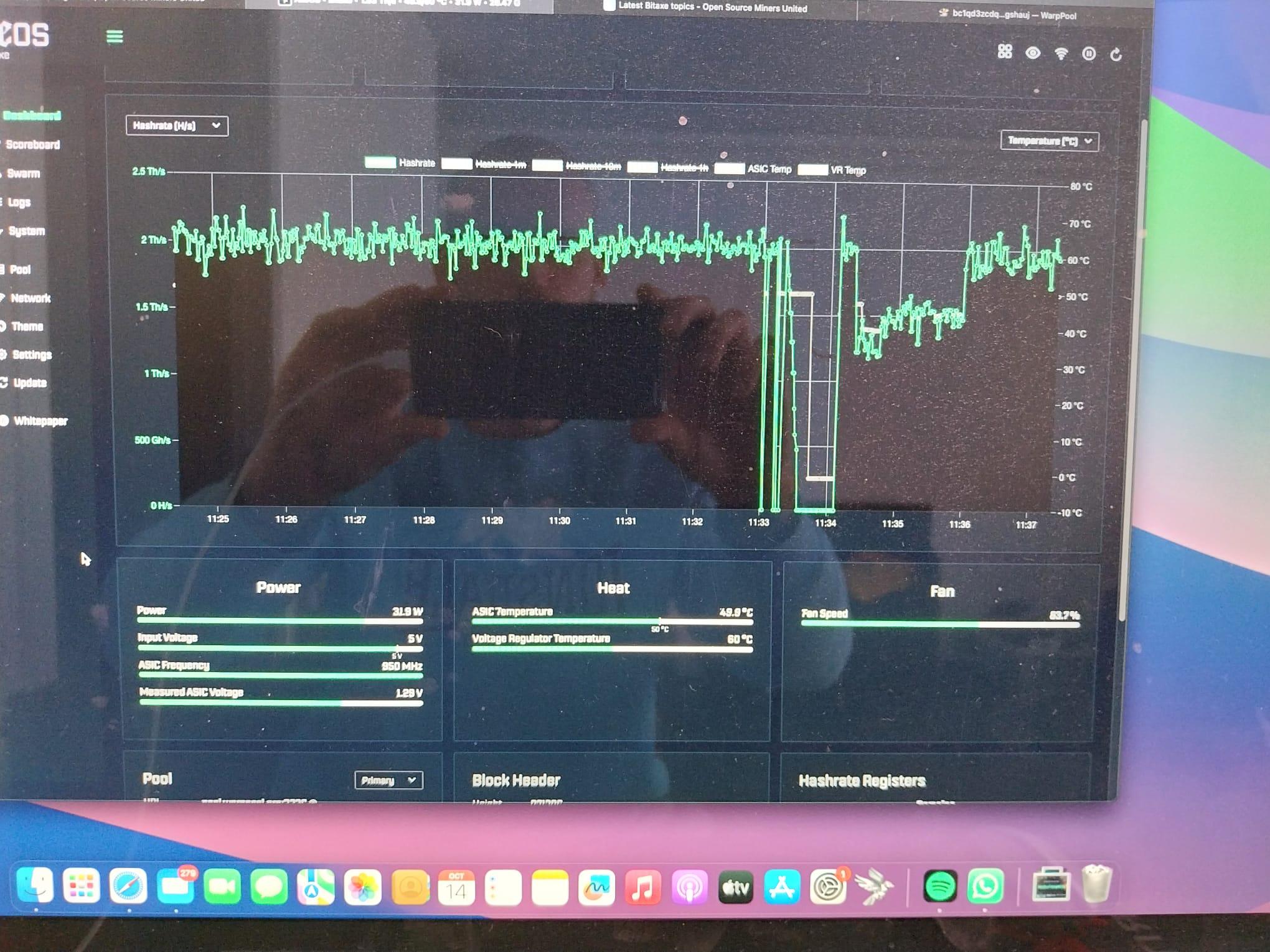
That one’s on me, not your miner: I updated the pool at 11:33 your time, so every miner got disconnected for a moment.
Your Gamma reconnected by itself over V2, 0 rejects so far.
The dip right after is normal, the numbers take a few minutes to settle after a reconnect.
Tip: set a fallback pool in AxeOS (Settings → Fallback). It can even be the same pool on V1, pool.warppool.org:3333, so a short pool restart never leaves it idle.
I post a banner on the pool page before updates. Sorry I didn’t mention it here.
No worries, I was actually just surprised bc I had set it to hash a little lower and all of a sudden it went silent so I thought maybe the hard work of last night did mess up the chip, but luckily it was just you haha fallback pool is now public.pool so it did start there pretty quickly!
Good call on the fallback.
from what I understand it is easier for the Gamma to switch to its secondary pool if it is also on the v2, does that sound right?
Not quite, I think: how fast it switches depends on how quickly AxeOS notices the primary is gone, not on V1 vs V2.
And as far as I know public-pool only speaks Stratum V1, so its fallback entry should stay on V1.
If your AxeOS version has one V1/V2 switch for both pools, keep the primary on V2 only if the fallback still connects. Otherwise V1 for both is the safe choice.
Public pool does also speak v2 on the 23330 port, it is on that setting as my fallback pool now and I used it from the start as my primary, I had a nice example of when you upgraded the warpaxe pool, it went to public without really any trouble so I guess I’ll just leave it unless you have like a very strong argument of why V1 would be better then I would definitely be open to that
You’re right, my mistake – public-pool does speak V2 on 23330, thanks for the correction.
And your setup is exactly right: V2 on both, and the switch during my pool update worked as it should. No strong argument for V1 from me, keep it as it is. V2 is encrypted and on an extended channel your miner can check the payout itself, so it’s the better choice anyway.
The tuner I mentioned is now an app: WarpTune Desktop for Mac and Windows, no terminal. Picture guide for the first start: WarpTune Desktop: First Start - dvb-WarpPool — happy to help if anything’s unclear.